|
| Windows Password Decryptor
Version: 1.0
|
|
|
|
|
|
|
|
| |
| |
|
|
| |
|

|
Windows Password Decryptor is the FREE software to instantly recover login password hash (NTLM) of all Windows user accounts.
|
|
|
After successful hash recovery, you need to use online or offline windows hash password tools to recover the actual password.
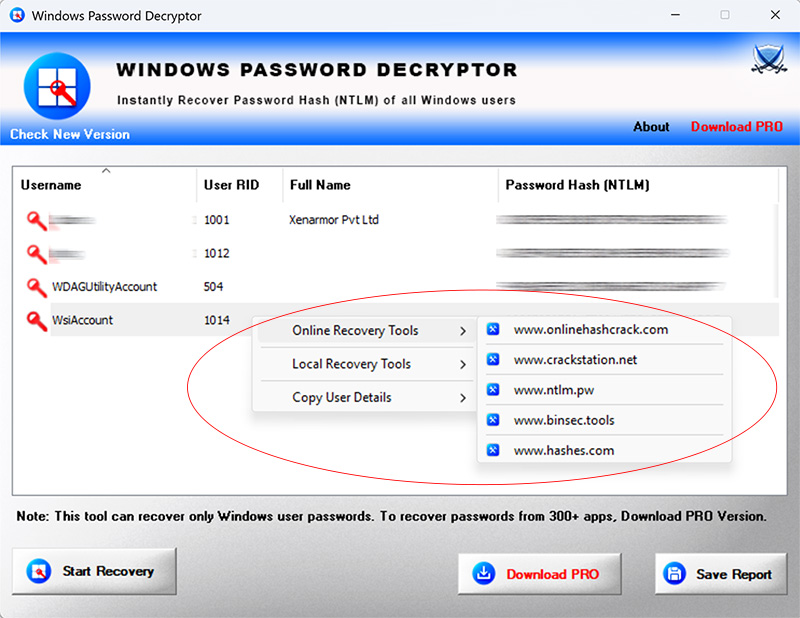
This software makes it very easy to launch these post recovery tools. Using right click menu options, now you can quickly launch online and offline hash password recovery tools.
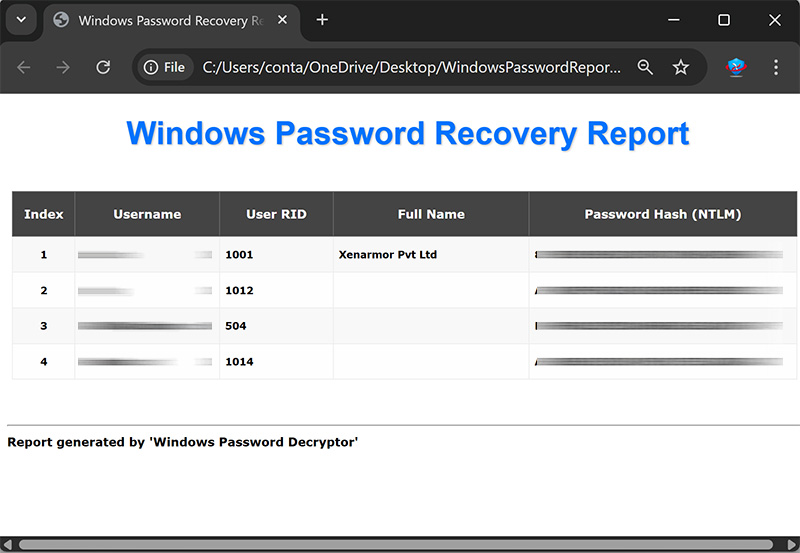
Finally, you can save the recovered password hash list to HTML file. Also you can choose to save it to Text file in pwdump format.
Windows Password Decryptor is handy tool for forensic investigators, security professionals and also for individuals to recover their lost windows login password.
|
|
"Windows Password Decryptor" is fully portable and works on all Windows platforms starting from Vista to Windows 11 |
| |
|
- Instant recovery login password hash (NTLM) of all user accounts on Windows
- Automatically detect & decrypt all the encrypted password hashes
- Right click menu to quickly copy the selected user details as well as launch online/offline recovery tools
- Launch online recovery websites like www.onlinehashcrack.com, crackstation.net, ntlm.pw, binsec.tools, hashes.com etc
- Launch offline recovery tools like Hashcat, Ophcrack, RainbowCrack, Windows Password Kracker etc
- Auto copy the password hash to clipboard on selection
- Backup all the recovered user password hash list to HTML file
- Export the password hash list to Text file in pwdump format
- Very easy & faster to use with enhanced user friendly GUI interface
- Fully portable, directly run without installation on any system
- Supports all Windows platforms starting from Vista to Windows 11
|
| |
|
|
Windows Password Decryptor is easy to use. Here are the brief usage steps, |
- Launch "Windows Password Decryptor" from the downloaded folder
- Next click on 'Start Recovery' button and password hashes of all Windows user accounts will be recovered as shown in screenshot 1 below.
- Now right click to copy the selected user details or launch online hash lookup or offline recovery tools
- Finally you can save all recovered password list to HTML or Text file in pwdump format.
|
| |
|
|
Windows Password Decryptor allows you to directly launch local recovery tools using menu options.
Below are the popular Windows password recovery tools supported currently.
First, you need to download/install each of these tools to use with this software.
|
|
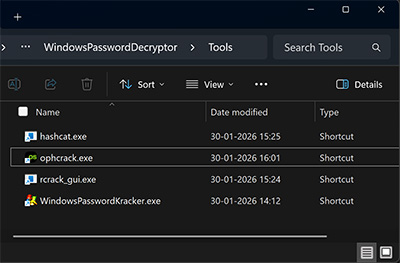
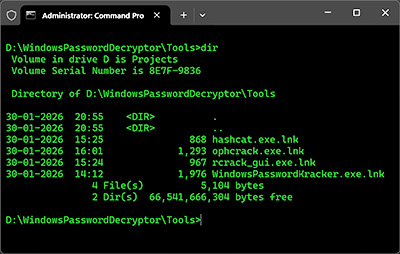
After installation, create shortcut for each of the above tools and copy it to Tools folder in the current directory. Below are the exact names of each of the shortcut files,
- hashcat.exe
- ophcrack.exe
- rcrack_gui.exe
- WindowsPasswordKracker.exe
After the setup, shortcut files will appear in explorer and cmd prompt as shown below,
|
|
|
|
| Now you can directly launch these tools from menu options as shown in screenshot below |
| |
|
 |
|
 |
| |
|
| First public release of Windows Password Decryptor |
| |
|
| |
|
|
|
| |
|
|
|
|
|
|
| |